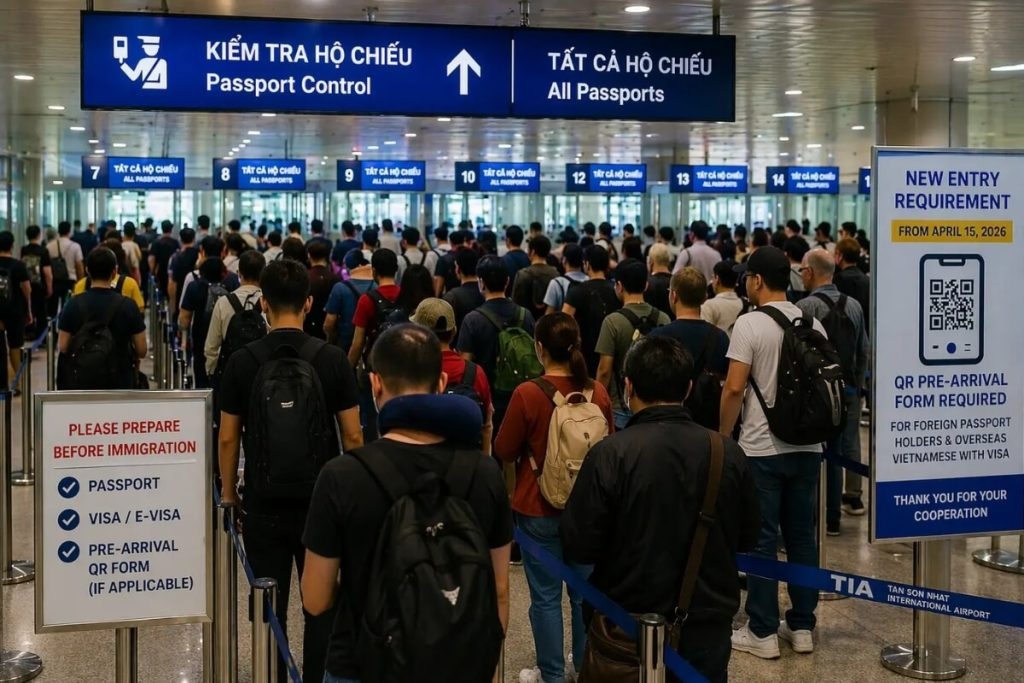

How to Complete Vietnam's Pre-Arrival Form with a complete step-by-step process for foreign visitors. This guide is designed for travelers arriving at Tan Son Nhat International Airport (SGN) in Ho Chi Minh City and explains every step clearly.
Vietnam's Immigration Department now operates an online Pre-Arrival Information Submission system, a digital arrival card you submit before boarding. Currently piloted at Tan Son Nhat Airport (SGN), Ho Chi Minh City. Completing it in advance helps you pass through immigration faster and eliminates paperwork queues on arrival.
Vietnam's digital arrival card (Pre-Arrival Information Submission) is an online declaration form operated by the Vietnam Department of Immigration at prearrival.immigration.gov.vn. Foreign visitors arriving at Tan Son Nhat International Airport (IATA: SGN) in Ho Chi Minh City can now pre-register their entry information before departure, significantly reducing immigration processing time upon landing.
This guide covers every step of the process, including nationality selection, passport upload, visa type selection, trip details, and how to save and use your QR code at the airport.
✈ Currently in Pilot Phase This system is active at Tan Son Nhat Airport (SGN), Ho Chi Minh City only. The other international airports in Vietnam may follow in the future. Verify the latest status at immigration.gov.vn before your trip.
Go to the official Pre-Arrival Information Submission website:
https://prearrival.immigration.gov.vn/home-page
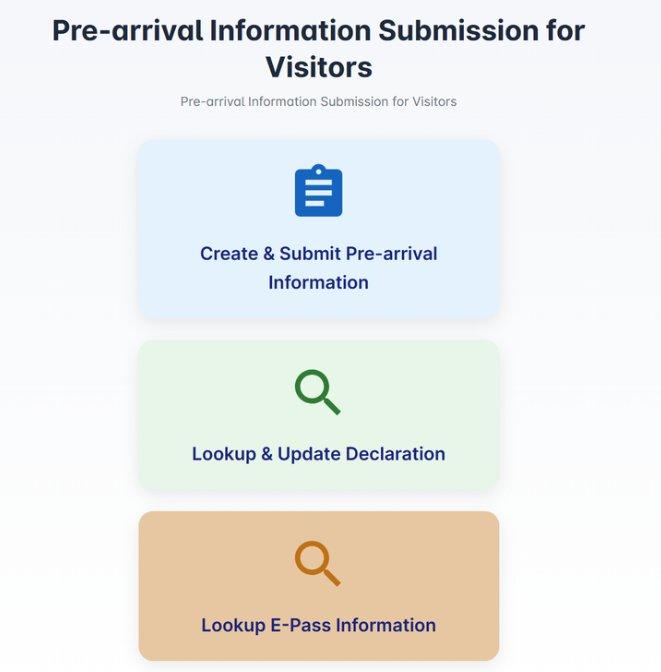
On the homepage, you will see three options. Select: "Create & Submit Pre-arrival Information"
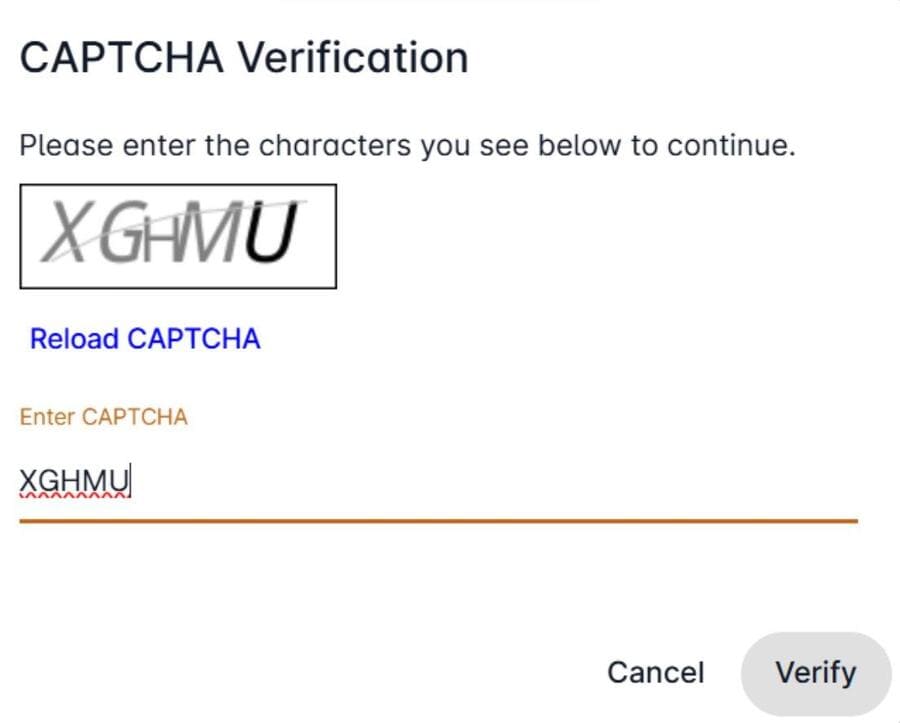
You will be prompted with a CAPTCHA verification screen. Enter the characters displayed in the image exactly as shown, then click Verify to continue.
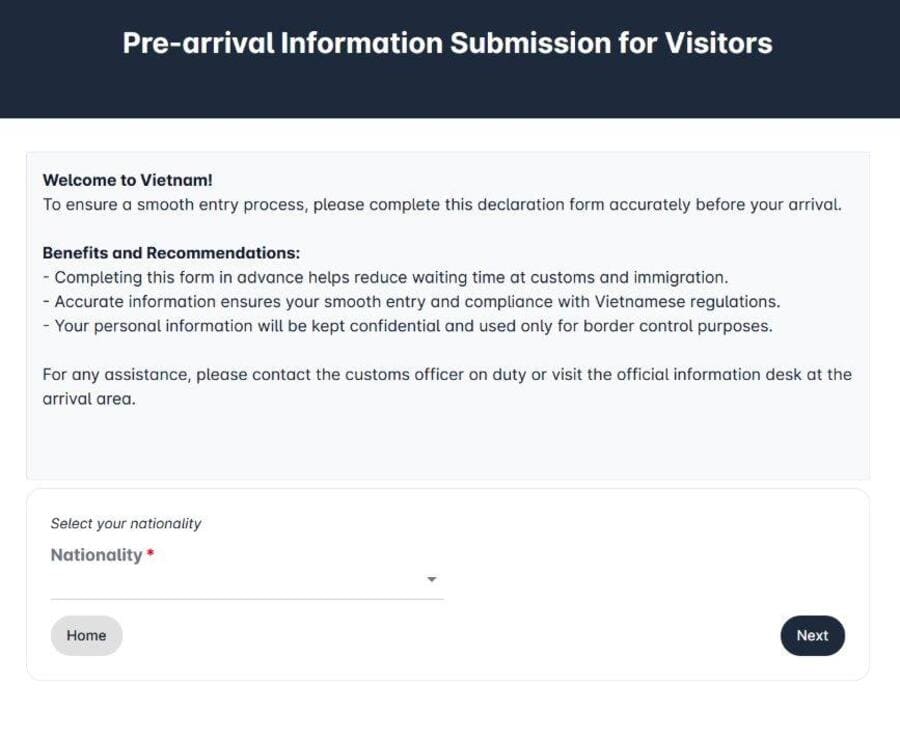
From the dropdown menu, select the nationality of the passport you will be using to enter Vietnam. This is a critical step - it determines which visa type options will be available to you in Step 3.
💡 Important Always select the nationality matching your travel passport, not your country of residence.
This section collects your personal and document details. Fill in each field carefully.
The form can only be submitted within 3 days of your expected arrival in Vietnam. The system will display three date options - select the date that matches your planned arrival.
Upload a clear, well-lit photo of your passport data page (the page with your photo and personal details). The system will automatically extract your full name, passport number, date of birth, nationality, and expiry date. After the auto-fill, please manually add:
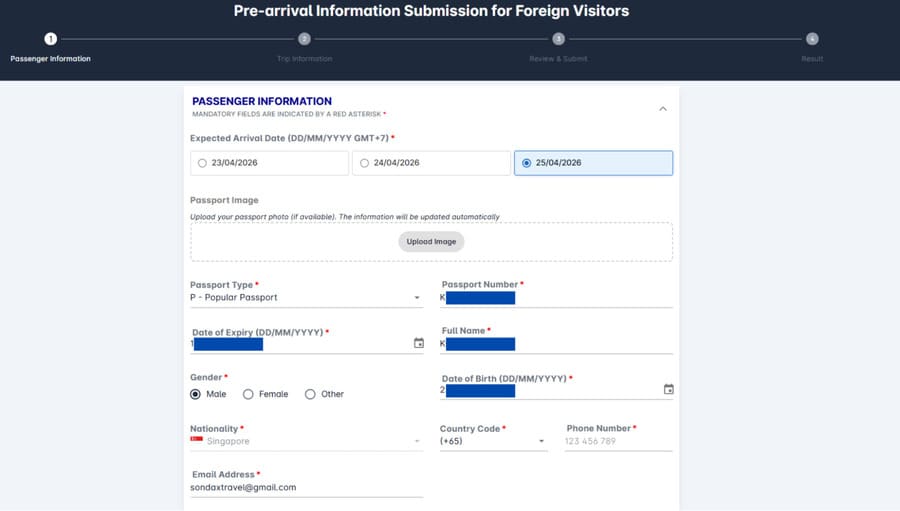
This is a common point of confusion. Before selecting, tick the checkbox: "I have read and understood this information."
| Your Situation | Select This Visa Type | Notes |
|---|---|---|
| Visa-free nationality (Singapore, Japan, S.Korea, Thailand, etc.) | Default visa exemption by country | |
| Vietnam E-Visa holder (issued via official e-visa portal) | Electronic Visa (E-Visa) | Number format: E260126NLDNWKRFLPxxxx |
| Mainland China - paper visa from Vietnamese consulate | Visa | |
| Permanent / Temporary Residence Card holder (MPS-issued) | Permanent / or Temporary Residence Card | |
| APEC Business Travel Card (ABTC) holder | ABTC Card |
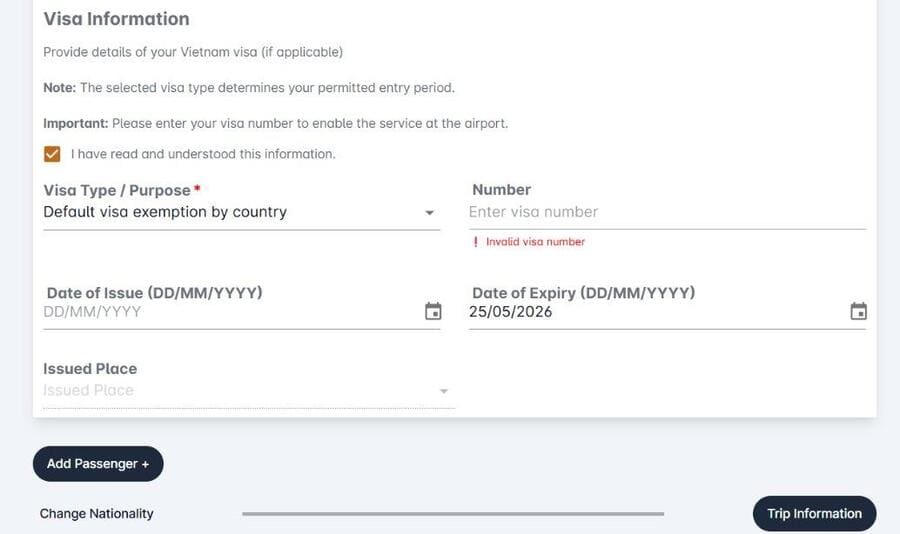
👥 Travelling as a Group? Click "Add Passenger +" to include travelling companions in the same submission. Each passenger will need their own passport details entered.
Once all passenger details are complete, click the "Trip Information" button to proceed to Step 4.
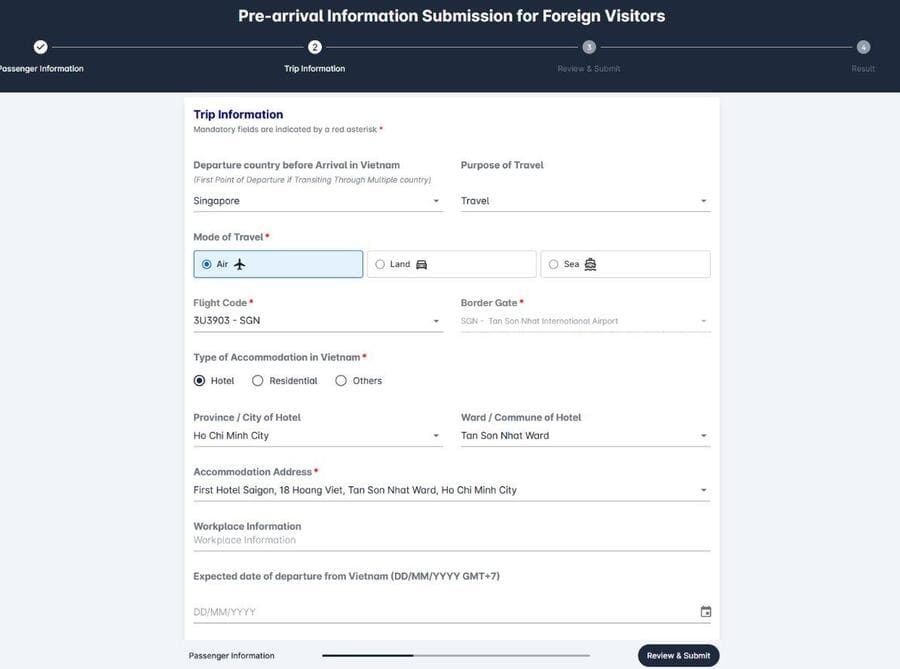
This section covers your travel itinerary and accommodation in Vietnam.
Enter the country you are departing from immediately before arriving in Vietnam. For passengers on connecting flights, this is your last transit country, not your origin country.
📌 Expert Insight:
Connecting Flight Example Routing: Moscow → Hong Kong → Ho Chi Minh City = Enter "Hong Kong" as departure country.
Select the option that accurately describes your trip (e.g. Travel, Business) and your mode of travel (Air, Land, or Sea).
Search for your flight number in the dropdown. If your flight does not appear in the list, select "Other" and enter it manually. Standard flight codes follow formats such as TR302, MH801, or JL79.
Select: SGN - Tan Son Nhat International Airport, Ho Chi Minh City.
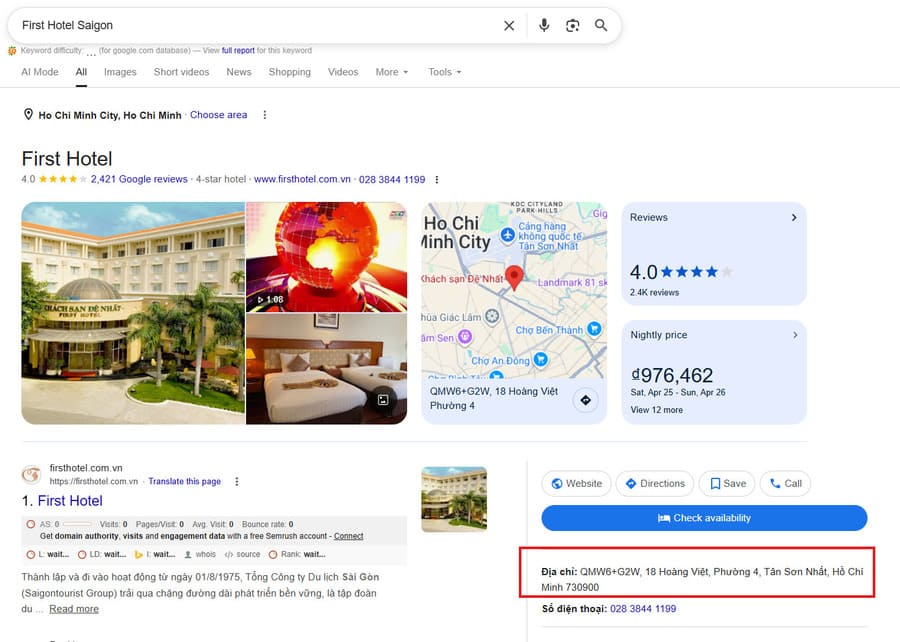
Enter the details of your first-night accommodation in Vietnam. To locate the correct administrative ward and district, search your hotel name on Google Maps and note the full address including ward/commune and city/district.
If you know your departure date from Vietnam, enter it here. This field is optional and can be left blank.
Click the "Review & Submit" button. The system will display a full summary of all information you have entered - both Passenger Information and Trip Information. Review every detail carefully before submitting.
⚠️ Legal Declaration Notice Passengers must truthfully declare all personal information, luggage, and goods. Passports must be valid for at least 6 months. Certain nationalities require a valid visa; others are visa-exempt. This form does not replace the Temporary Residence Registration requirement for foreigners staying in Vietnam.
Once you have verified all information:
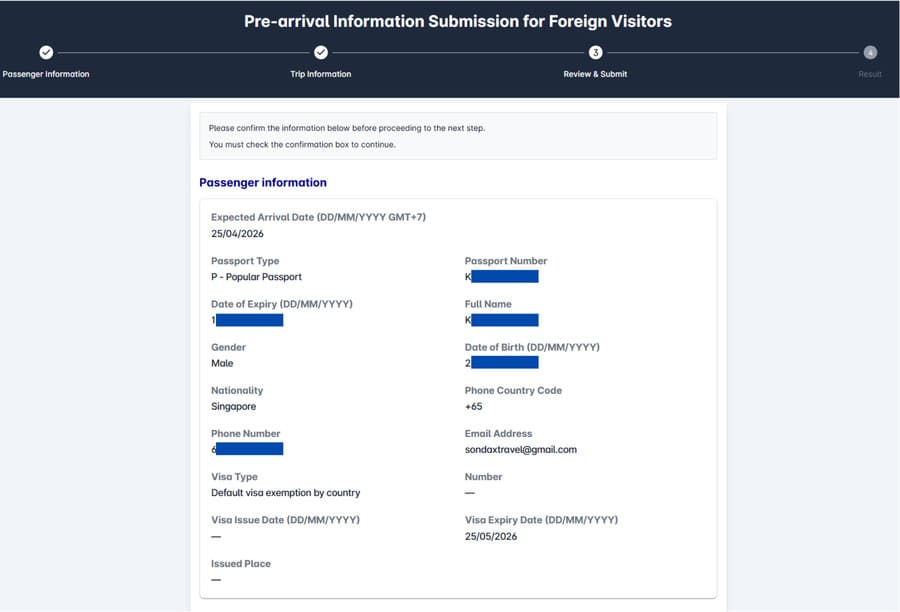
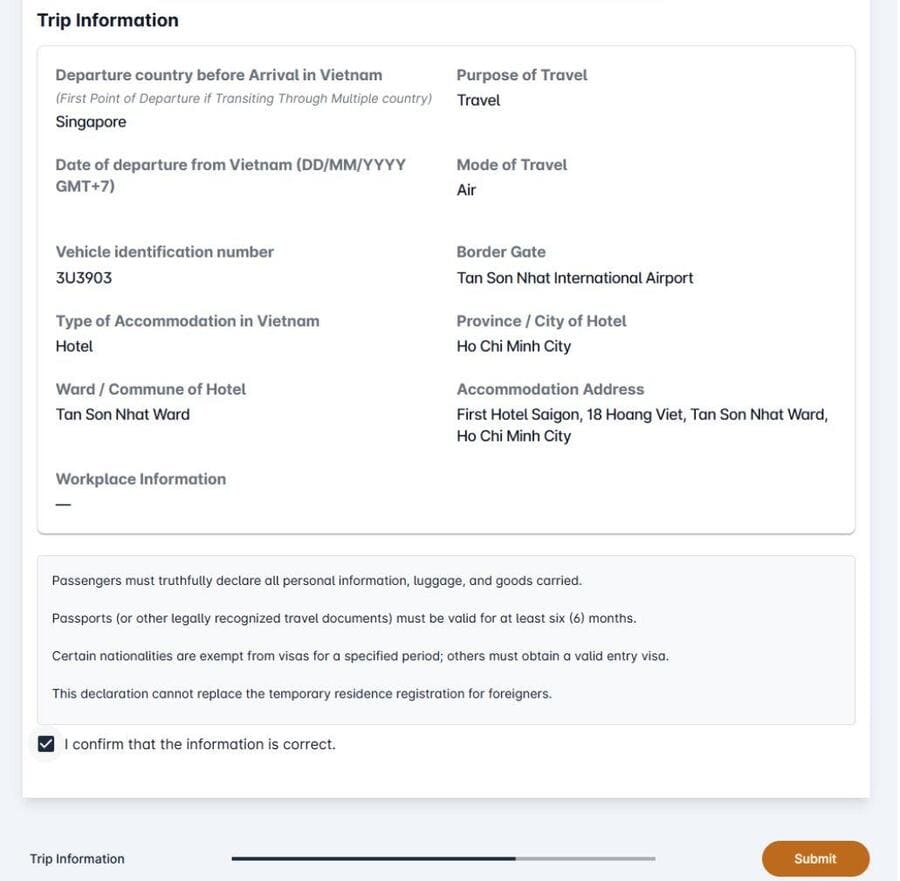
After successful submission, the system will generate two items. Save both to your mobile phone before your flight:
📌 Expert Insight:
Pro Tip Email both the QR code screenshot and the PDF to yourself so they are always accessible, even without mobile data.
When you arrive at Tan Son Nhat International Airport and reach the immigration counters, have your QR code ready on your mobile phone screen. An immigration officer may ask to scan it as part of the pre-registered arrival process.
Having the QR code visible and accessible helps facilitate a faster, smoother immigration clearance. Even if not specifically requested, showing it indicates that you have pre-registered and may assist the process.
Welcome to Vietnam! We hope you have a wonderful trip.

The form is not currently mandatory, but strongly recommended. It speeds up immigration processing and may become compulsory as the system expands to other Vietnamese airports.
You can submit the form within a 3-day window before your expected arrival date. The system will display your three nearest date options when you access the form.
Select "Other" in the Flight Code field and type your flight number manually. Examples of valid formats: TR302, MH801, JL79, VN123.
Always enter the country of your last departure before Vietnam, not your origin country. Example: London → Singapore → Ho Chi Minh City = enter "Singapore" as your departure country.
Yes. In the Passenger Information step, use the "Add Passenger +" button to include each additional traveller. All passengers in your group will be covered under one submission.
No. This is an arrival declaration only. You still need a valid visa, e-visa, or qualifying visa exemption to enter Vietnam. The form does not grant entry permission.
The system is currently in pilot phase at Tan Son Nhat International Airport (SGN), Ho Chi Minh City - Vietnam's busiest international gateway. Expansion to other airports is expected.
Best visited during dry season (November to April) for ideal weather.
Book accommodations in advance during peak travel season.
Carry local currency (Vietnamese Dong) for markets and small vendors.
Respect local customs and dress modestly when visiting temples.


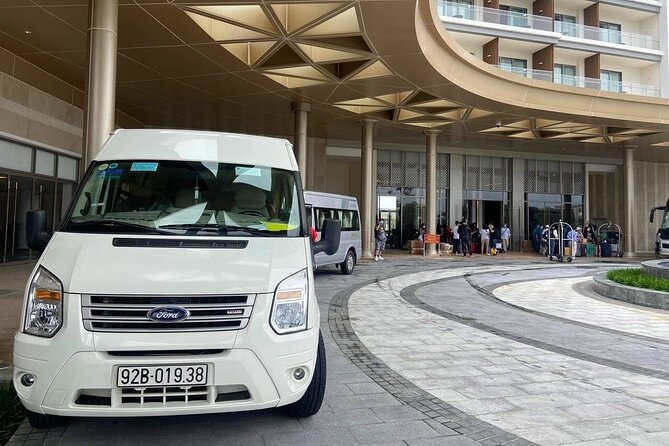


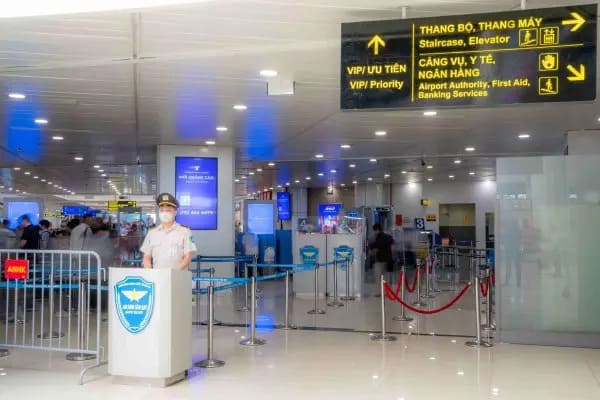
Hanoi, Vietnam
Walk past the immigration queue at Noi Bai Airport. A dedicated Sondax escort guides you through priority lanes — typically done in under 20 minutes.
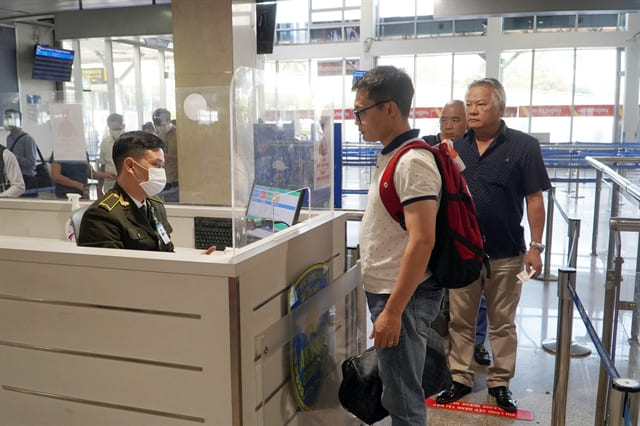
Ho Chi Minh City, Vietnam
Beat the immigration queue at Tan Son Nhat Airport. Our team escorts you through priority lanes — arrival or departure done in under 30 minutes.
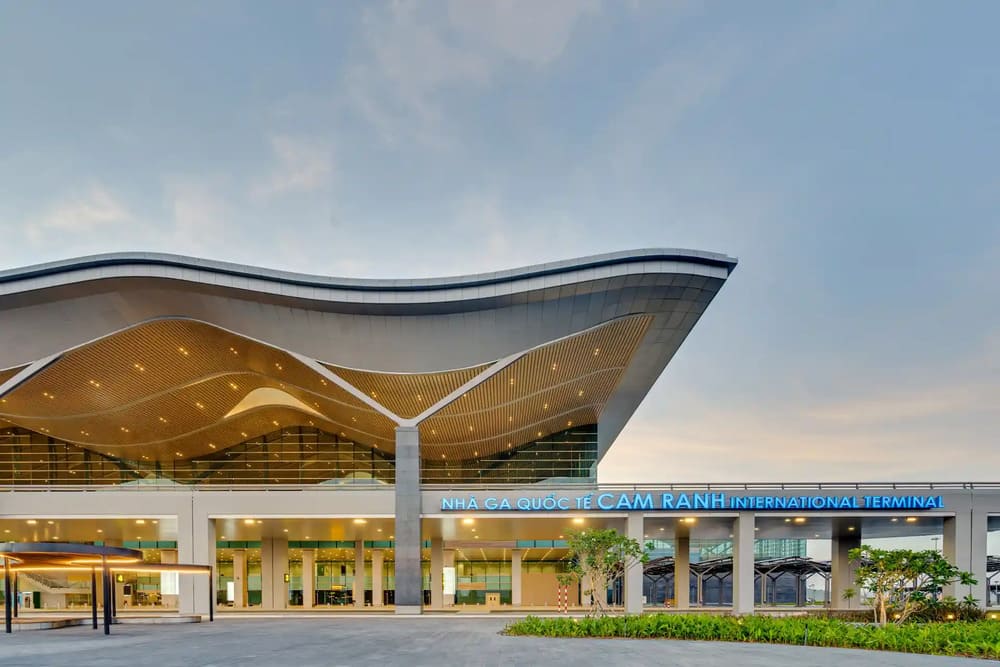
Nha Trang, Vietnam
Priority immigration clearance at Cam Ranh International Airport. Quick entry to Nha Trang.
Da Nang, Vietnam
Priority immigration clearance at Da Nang International Airport. Skip the queue and clear immigration quickly.

Phu Quoc, Vietnam
Priority immigration clearance at Phu Quoc International Airport. Fast entry to paradise island.